
BlueDriver OBD2 Scan Tool
Lemur Vehicle Monitors
Downloads
1,000,000+
Version
Latest
Click to download now, finish the installation quickly, and directly unlock the all-round experience
Screenshots

Click to download now, finish the installation quickly, and directly unlock the all-round experience
BlueDriver OBD2 Scan Tool connects with a BlueDriver sensor to help drivers investigate vehicle faults using an Android phone. It is suited to people who want more information than a dashboard warning light provides, including DIY owners, hobby mechanics and drivers preparing for a repair visit.
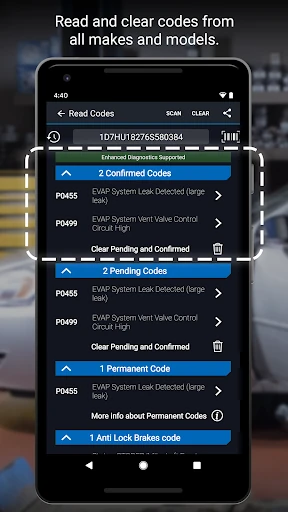
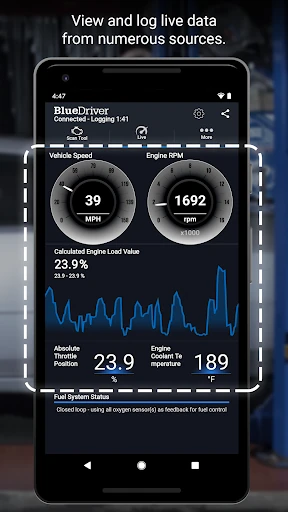
The app reads diagnostic trouble codes and can go beyond basic engine faults on supported vehicles. Its coverage includes systems such as ABS, airbags and transmissions, giving you a broader view of what may need attention. It can also show live vehicle data, which is useful when a problem appears intermittently or does not leave a clear fault code.
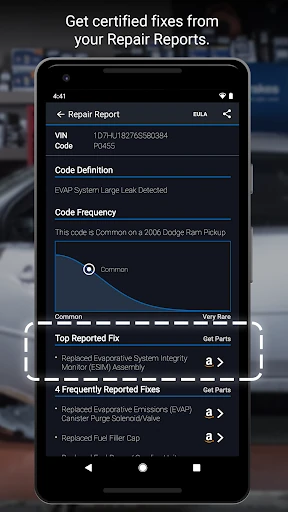
BlueDriver presents likely repair information alongside diagnostic results, helping turn a code into a more useful starting point. The app does not replace a qualified mechanic, but it can help you describe a problem more clearly, assess whether a warning needs prompt attention, and decide what to investigate next.
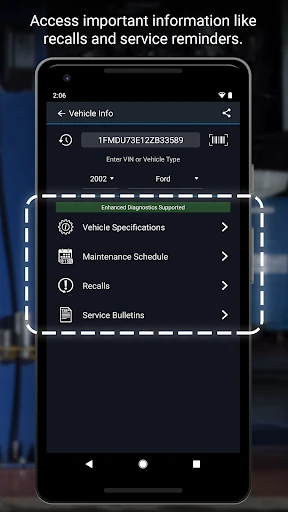
This app depends on the BlueDriver Bluetooth sensor, so it is not intended as a general-purpose reader for any adapter. Vehicle coverage and the information available can vary by make and model. BlueDriver OBD2 Scan Tool is published by Lemur Vehicle Monitors and has 1,000,000+ installs, with a rating of about 3.85 from 16,884 reviews.